
As of version 2017 - RetirementView now contains a built in PDF generator in both Mac and Windows versions.
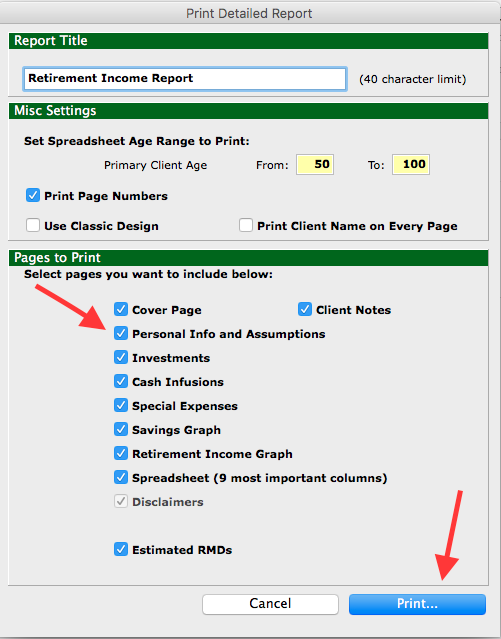
To access this PDF copy, Click File > Print Detailed Report.
You will then see your pop up window for the print screen.
- Select the pages you want to include
- click "Print".
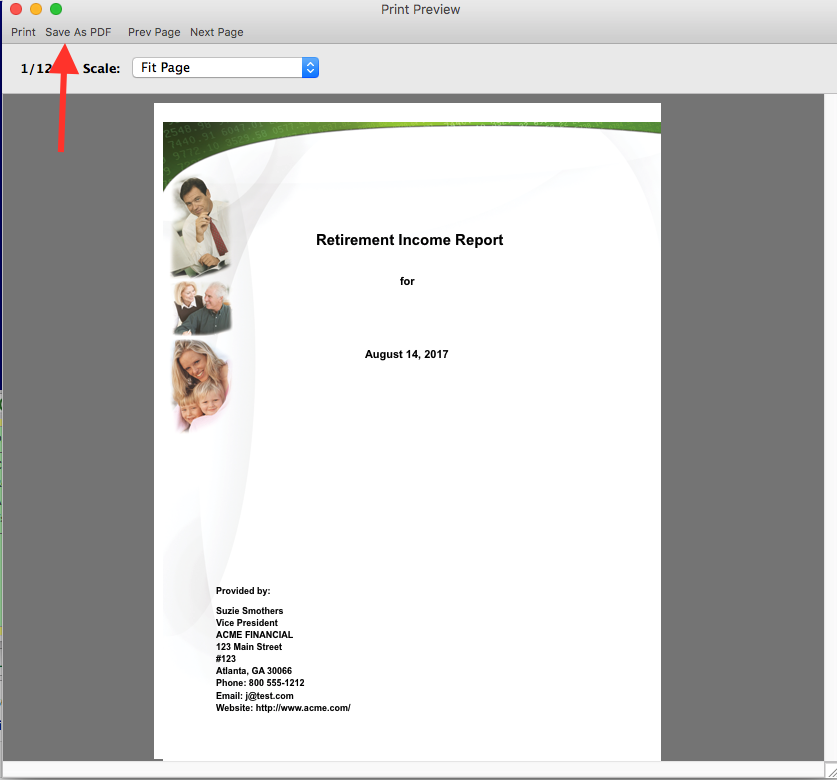
- When you do that you will see the option to Print or Save to PDF.
0 Comments